
|
|
Articles
Eudora: Minimize Eudora E-mail Client Into System Tray With A Single Click!
Eudora is a well known and one of the oldest e-mail clients. It is a robust e-mail client, among its features are: multiple address book, formatting options and the ability to filter, redirect, and forward mail. Eudora supports QuickTime and HTML-enriched e-mail, letting you include stylized, formatted text and in-line graphics in your messages.
Eudora also includes many convenient features such as powerful search functions, multiple e-mail accounts, integrated word processor with automatic spell checking, and much more.
Now you can add new features for Eudora e-mail client with Actual Title Buttons.
Actual Title Buttons lets you add new
 Minimize Alternatively,
 Stay Always-on-Top,
 Roll Up,
 Make Transparent and other additional buttons
to Eudora, and other programs.
Make Transparent and other additional buttons
to Eudora, and other programs.
Use the new buttons alongside with the standard Minimize/Restore/Close. You can minimize Eudora to system tray or to any place of your desktop, force it to stay on top of other windows with a single mouse click and that is not all!
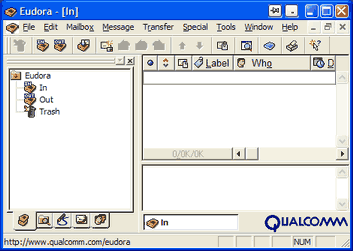
Just click the
Minimize Alternatively title button and Eudora e-mail client will be minimized into the system tray in a wink.

Another click on tray icon and Eudora is restored and ready to use again!
Besides minimizing to the system tray, Actual Title Buttons offers a unique feature to minimize any program to a small icon which is placed on any place of your screen. You can drag this icon anywhere on the screen and choose its position and size. If you then double-click it, the default action is to restore the normal window and remove the icon fr om the desktop/screen. Using this feature will help you to free the taskbar thus saving space for more urgent programs.
Moreover, you can also add another handy and useful title buttons to Eudora or to any other programs:
-
Stay Always-on-Top button brings Eudora to the top and other windows will no longer annoy you
by hiding the window you need to see. It is especially effective when you write an important e-mail in Eudora!
-
Make Transparent button lets you apply transparency effect from 0% (opaque) to 100% (invisible) rate to Eudora
or any other windows such as
Windows Taskbar,
Winamp,
drop-down menus and lists, or any instant messenger.
-
Roll Up button lets you minimize Eudora in such a way that only the title bar remains visible.
This is better than minimizing it to icon. You won't have to hunt for the windows you were using!
and many others!
Actual Title Buttons makes your work with your favorite Eudora e-mail client and other applications extremely simple and convenient. The new buttons are as easy to use as the standard Windows Minimize/Maximize/Close ones and they make Eudora more user-friendly, convenient and stylish. It is an ideal solution if you usually multitask in several applications. And the Minimize to Tray feature is an ideal solution for moving unused Eudora windows out of your way without closing it and not cluttering the taskbar in its turn.
Interested? Try it out, Actual Title Buttons is easy-to-use and very handy!
See the following links that will be your guides in getting acquainted with Actual Title Buttons:
Actual Title Buttons Home — the official page wh ere you can download or order the risk-free version and read what users say about Actual Title Buttons.
Actual Title Buttons Help section — the full list of additional buttons available in Actual Title Buttons.
Here you can find the information on how to create specific settings for Eudora or any other window.
Eudora

|
Publisher: Qualcomm
Home page: http://www.eudora.com/email/ |
Eudora is a robust e-mail client whose features include multiple addressbook, formatting options and the ability to filter, redirect, and forward mail. Eudora supports QuickTime and HTML-enriched e-mail, letting you include stylized, formatted text and in-line graphics in your messages.
Other features include a multi-paned interface; background mail checking and sending; the ability to import existing settings, e-mail, and address books from Microsoft Outlook, Outlook Express, or Netscape Mail programs; a Qualcomm PureVoice plug-in that allows voice message exchanges; and a customizable interface, including movable, dockable window groups and toolbars.
Eudora also includes many convenient features such as the powerful search functions, multiple e-mail accounts, integrated word processor with automatic spell checking, and much more.



Independent Virtual Desktops on Multiple Monitors
Learn how to create and manage virtual desktops independently on each monitor in a multiple display environment.
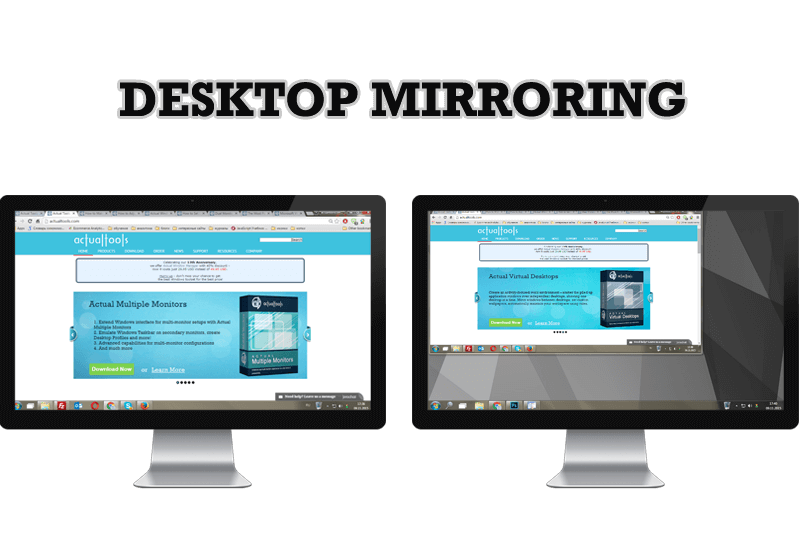
Desktop Mirroring - New Feature of Actual Multiple Monitors 3.1
Know more about new feature of the best multiple monitor software Actual Multiple Monitors 3.1 - Desktop Mirroring.
Microsoft Visual Studio 2010 with Multiple Monitor Software
Advantages of using Visual Studio 2010 in combination with Actual Multiple Monitors.

Resize windows: Simplify your web construction with Resize Window
The Resize Window control will help you resize any window in a flash: Right click on it and you will access the drop-down list of window sizes including 640x480, 800x600, 1024x768, 100%x100%, 50%x50%, 0%x100%, etc.
Add 'Minimize To Tray' feature to your favorite offline browser
If you usually switch to another application and work with it, while the offline browser is doing its job, it may be very convenient to minimize the program to the system tray or to any place of your screen and save taskbar space.
Advanced Display Management of Windows 7 in Actual Multiple Monitors
Now users can use advanced display management (display orientation, clone this monitor, etc.)in Actual Multiple Monitors.
-
Enhance Your Favorite ICQ Client with Actual Title Buttons
Find out new interesting ways to improve your ICQ instant messaging experience.
-
Organize your desktop in a neat way!
Split your desktop into well-defined areas to keep your windows in a strict order.
-
Find the best way to minimize Outlook Express to the icon in tray
Just one click on Minimize To Tray title button and Outlook Express is minimized to the system tray. Just another click on tray icon and Outlook Express is restored and is ready to use again!
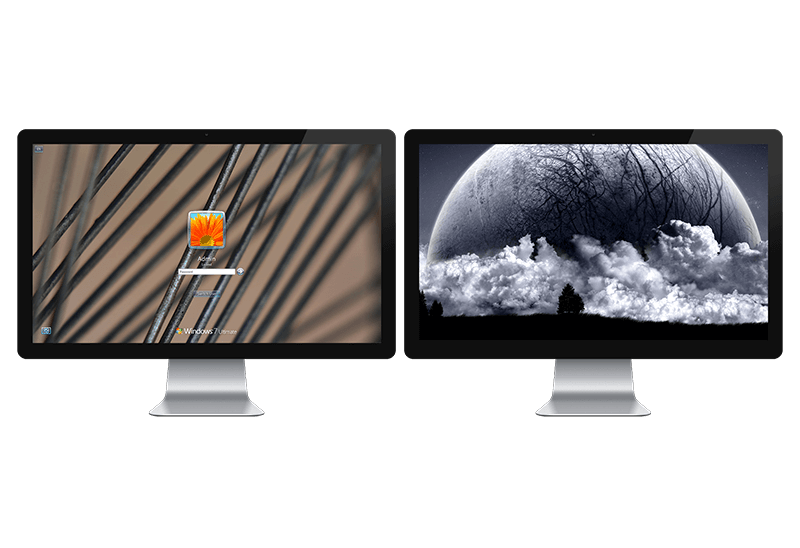
Windows Logon Screen Background Image Changer
Learn about how to change Logon Screen Background Images on all your monitors.
