
|
|
 | ||||||||||
Actual Window Manager 8.15.3 | ||||||||||
Total Windows® Facelift! | ||||||||||
| ||||||||||
| ||||||||||



| Actual Window Manager | ||||||||||||||||||||||||||
|---|---|---|---|---|---|---|---|---|---|---|---|---|---|---|---|---|---|---|---|---|---|---|---|---|---|---|
| ||||||||||||||||||||||||||


Fully-Functional Desktop Environment for Multiple Monitors | |
|
Using Actual Window Manager, you will have a fully-functional taskbar for each monitor and many other features to improve the multiple monitors’ desktop environment.
|
 |
Virtual Desktops for Effective Work |
|
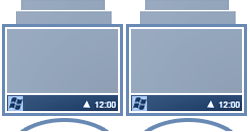 |
If you have a lack of workspace on the desktop, use virtual desktops included in Actual Window Manager. This tool allows you to create the desired number on virtual desktops and increase your workspace.
|
Configure Each Window Individually |
|
|
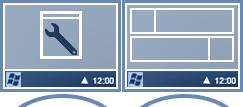
Configure your OS as you wish. With Actual Window Manager, you can set many parameters for each window individually.
|
 |
New Title Buttons for Improving Each Window |
|
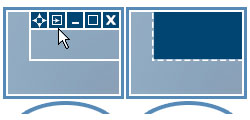 |
Many additional title buttons available to you with Actual Window Manager:
|
Custom Hotkeys |
|
| Hotkeys is the tool of professionals, and Actual Window Manager supports them in full. Most of program functions can be activated via hotkey, and you can customize the key combinations at will. Moreover, you will be able to add your own hotkeys for some window operations | 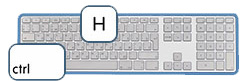 |
Multi-Monitor Gaming |
|
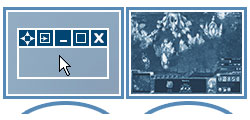 |
Gamers will appreciate several features of Actual Window Manager that were developed specifically for enhancing multi-monitor gaming experience, making it more attractive and convenient:
|
Desktop Divider |
|
| The divider allows you to split the entire large desktop or each monitor into several non-intersecting areas (tiles). If you place a window into one of such tiles, the window will expand up to tile’s borders only. You can create as many custom tile layouts as you need and activate them on the fly, as circumstances require. | 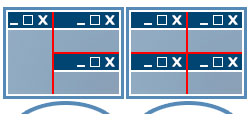 |
Improved Windows Folder Navigation |
|
 |
Actual Window Manager allows the use of two additional title buttons for each window. These special buttons improve Windows Folder Navigation, so you do not need to use long mouse manipulation to follow through to the desired folder.
|
Desktop Mirroring |
|
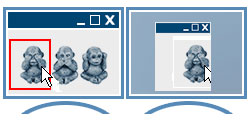
Mirroring is a special function that allows observing a certain window, monitor or a custom part of desktop in a separate window on another monitor. It can be useful in various specific situations:
|
 |
Window Snapping |
|
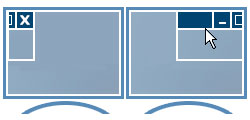 |
If you prefer arrange your windows manually, Actual Window Manager will help you make it faster and more accurate by snapping a certain edge of the dragged window to:
Also, you will get an improved version of the Windows 7 Aero Snap feature: now it works on edges between monitors. |
Multi-Monitor Wallpaper |
|
Using Actual Window Manager, you can set up any kind of Desktop's background on multiple displays:
|
 |
Multi-Monitor Screen Saver |
|
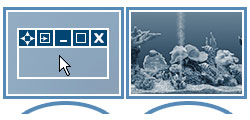 |
Actual Window Manager gives new abilities for screen savers (even those that don't have native multi-monitor support) - you will be able to:
|
| Technical Information | ||||||||||||||||
|---|---|---|---|---|---|---|---|---|---|---|---|---|---|---|---|---|
| ||||||||||||||||

|
 |
