
|
|


 Multi-monitor Background Wallpaper
The Multi-monitor Background Wallpaper feature lets you overcome Windows inherent limitations for desktop background picture in a multiple display environment. By default, Windows clones its "Desktop" settings from the "Display Properties" dialog onto each monitor identically, i.e. displays the same background color and picture on all monitors without distinguishing them or considering their relative layout. So, even if you specify the picture large enough to cover the entire composite desktop - you will nevertheless see only the left-top part of that picture on each monitor. Also, there's no possibility to configure separate background settings for different displays.
Multi-monitor Background Wallpaper brings on the missing features when customizing the multi-monitor desktop background: you can either stretch a single background picture over the entire composite desktop or specify individual background pictures on each display forming the desktop. In addition, you can turn on the advanced slideshow mode that will flip pictures from various sources on the background (including Google Image Search and Flickr).
Hint Stretching a single picture better suits for nearly placed monitors aligned horizontally or vertically, inspiring the continuality and uniformness of all available screen space, which can significantly improve the overall look-and-feel of your desktop. Specifying individual settings for different monitors is recommended when you use each monitor for a separate purpose: different backgrounds will help you to instantly distinguish such monitors visually.
Various Configurations of a Static Multi-monitor Wallpaper
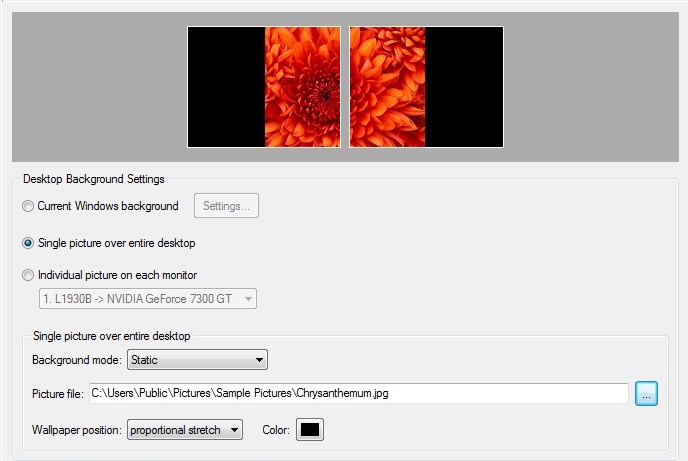 Single picture stretched out to the entire desktop (the original width/height ratio preserved)
|
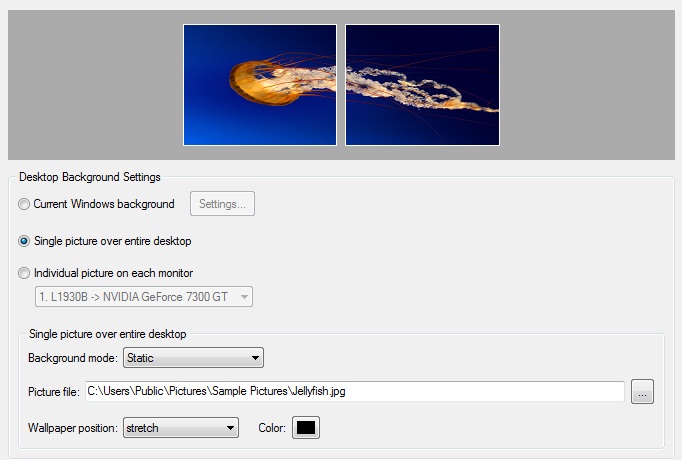 Single picture stretched out to the entire desktop (without preserving the original width/height ratio) Single picture stretched out to the entire desktop (without preserving the original width/height ratio)
|
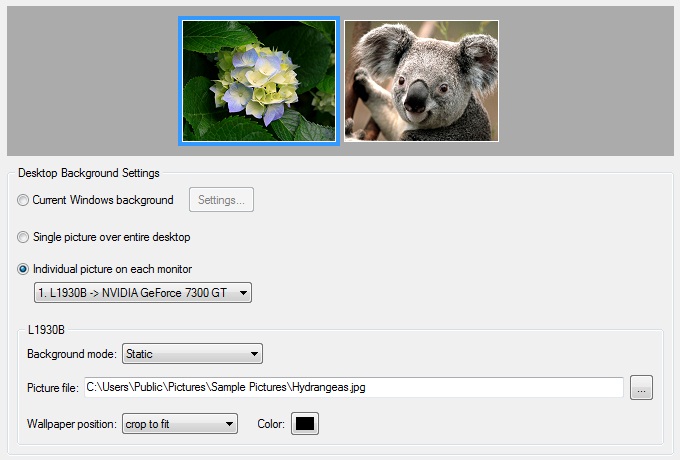 Individual pictures on each display Individual pictures on each display
|
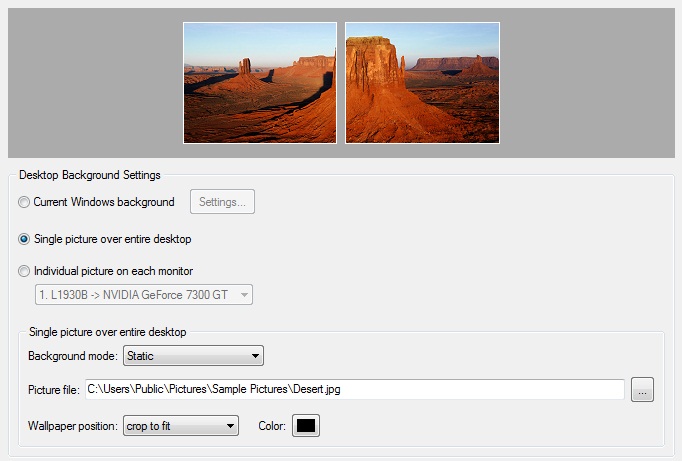 Single picture cropped to fit the entire desktop (vertical layout) Single picture cropped to fit the entire desktop (vertical layout)
|
Multi-monitor Wallpaper Slideshow
In the advanced slideshow mode, Actual Multiple Monitors will flip pictures from various sources on the background. As for the static mode, you can either run the single slideshow on the entire desktop or setup separate slideshows on each display.
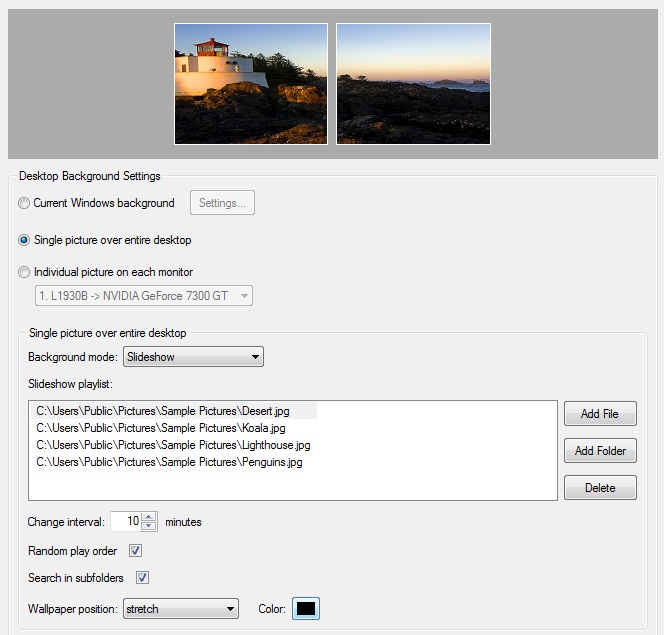 Single picture slideshow on the entire desktop Single picture slideshow on the entire desktop
|
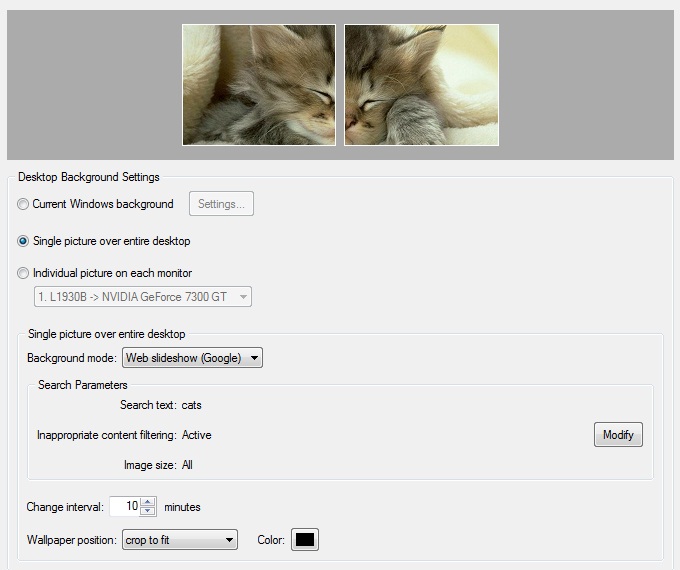 Single picture slideshow on the entire desktop from Google Image Search Single picture slideshow on the entire desktop from Google Image Search
|
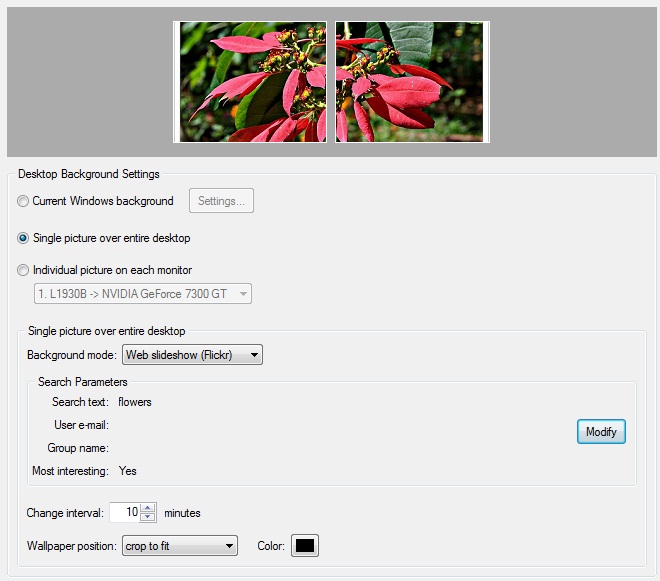 Single picture slideshow on the entire desktop from Flickr.com Single picture slideshow on the entire desktop from Flickr.com
|
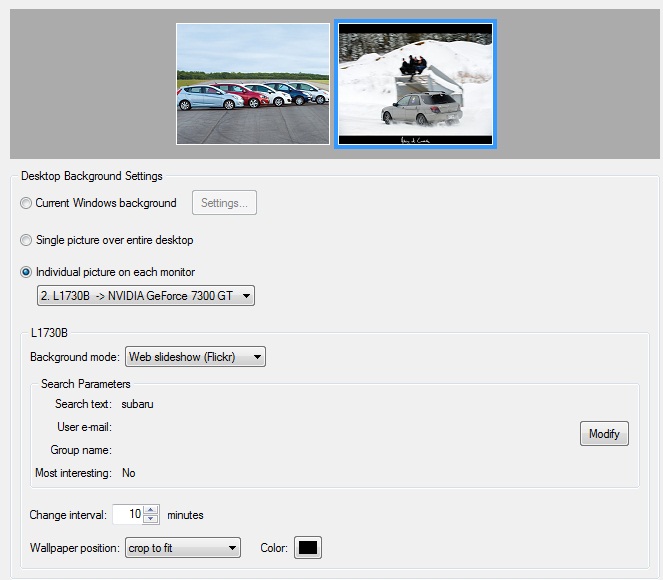 Individual pictures slideshow on each monitor from Google Image Search or Flickr Individual pictures slideshow on each monitor from Google Image Search or Flickr
|
For your convenience, we have picked up more than 500 amazing wallpapers and collect them on our Flickr channel. Now you can stream and download your favorite images from there.

|

|
