
|
|
Move to Monitor
Available in: Actual Window Manager, Actual Multiple Monitors, Actual Title Buttons, Actual Window Menu, Actual Window Guard.
The Move to Monitor action allows you placing a window to the desired monitor if you have the several monitors connected to your computer. Now you can quickly select on-the-fly the position for any window which is most appropriate in particular circumstances by switching it between the monitors. Also, you can define the initial window appearance on a particular monitor ordering your workspace in most efficient and convenient manner. Note that if your monitors have the different resolutions, this action is able to keep window's appearance after placing it to the selected monitor by enlarging or reducing its size accordingly to the target monitor resolution so window looks the same on any monitor.
Hint This action is well combined with the automatic window alignment and resizing.
Monitor Selector dialog
In addition to its default ability to place a window to a certain monitor, Move to Monitor action also offers a convenient visual tool
to position a window within a multi-monitor desktop:
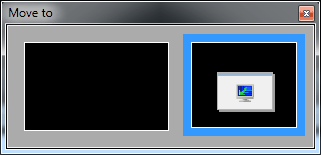
It shows you the current relative layout of monitors and the current window's position and size. Also, it provides the following features:
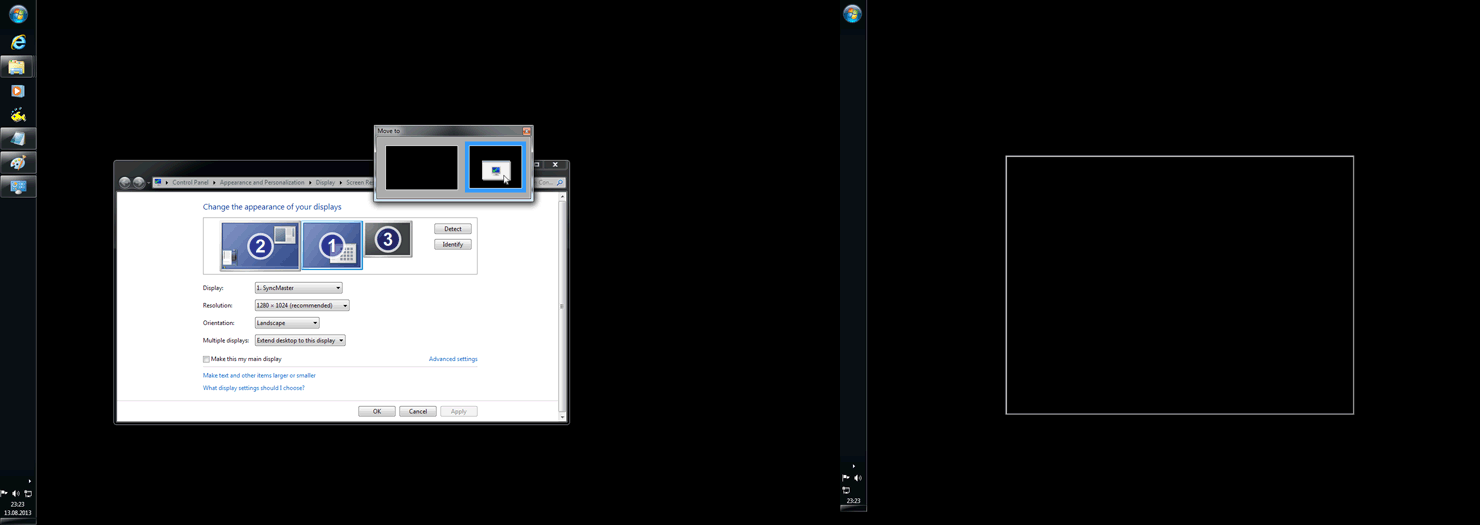
place the mouse pointer over any monitor's preview to see the preview of new window position - both in the Monitor Selector itself and on the desktop
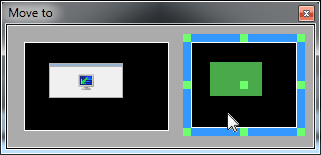
click the empty space of the desired monitor's preview to close the dialog and put the window onto that monitor
click anywhere outside the dialog or press the <Esc> key to close the dialog without moving the window
you can not only move a window to certain monitor but also to align it within that monitor in a single click using Align Hotspots - green dots displayed on the monitor preview that is currently under the mouse
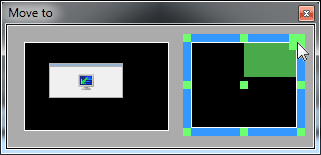
you can drag the window preview by the mouse; while dragging the preview, both Classic Snap and Aero Snap features are active, and the preview of a new window placement on the desktop is available
Related actions: Align, Resize.
Possible triggers: Title Buttons, Window Menu, Hotkeys, Startup, Taskbar Preview Button, Quick Window Settings.
