
|
|
[actualtools.com] New version 2.1 of Actual Multiple Monitors - Windows 7 Pin, Background Slideshow and more
If you have problems viewing this letter in your e-mail program then you can try to open it in your web browser by copy-pasting the following link into browser's "Address" box: http://www.actualtools.com/about/newsletter_examples.php?id=58 |
| ||||
|
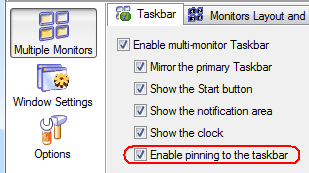
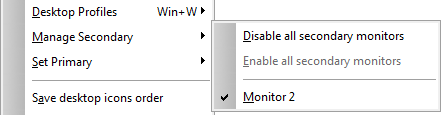
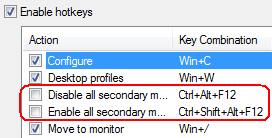
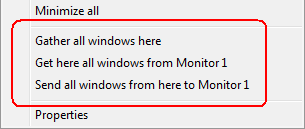
Hello, John Smith. I'm glad to inform you that we have released the new version 2.1 of our most innovative and fast evolving product - Actual Multiple Monitors! This version, though being a minor update, offers truly amazing features. Here is a short list of most important changes (the full changelog can be viewed here):
Being a minor update, this version is free for registered customers. If you are a registered customer then you can simply download and install it over your existing version without any additional efforts. In case you have any questions regarding this new version - please contact our Customer Support Service. Others are welcome to try Actual Multiple Monitors for 30 days for free and see all the advantages it brings to a day-to-day computer use. Visit our website now: http://www.actualtools.com/multiplemonitors/! Yours sincerely,
|





DISCLAIMER: THIS IS NOT A SPAM - you received this email because you subscribed for the Actual Tools newsletter some time ago. If you do not want to receive news from Actual Tools anymore, please send an empty message to unsubscribe@actualtools.com.
|
